My friend: "You have a Kindle, right?
Would you recommend I buy it? My main concerns are: it should be userfriendly (not too complicated) and it should be easy on the eyes - I am short sighted and my eyes strain when I read from a backlit screen.
One other factor is that I should be able to read non-purchased/downloaded books on it."
My reply: Long time no hearing from you - so glad you mailed me.
Let's get this out of the way : I *heart* my kindle. (that's why my blog is mostly dedicated to it and ebooks :D)
We should take this up point by point -
1. User friendly - really simple, too simple sometimes :)
Just drag and drop book from laptop to device, read book.
You can also check out Calibre: Paen to Kindle and Calibre
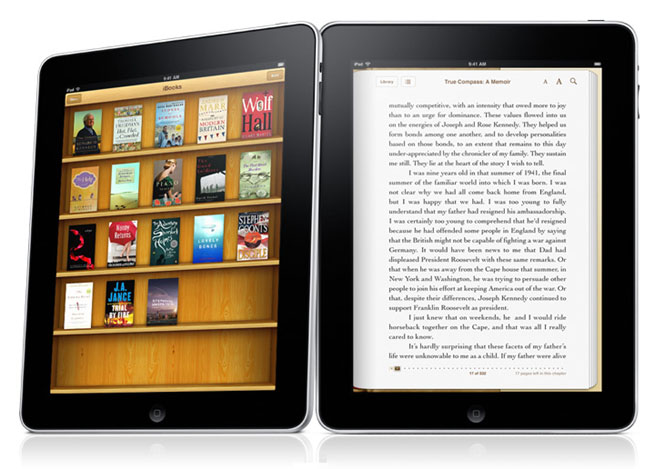
2. Backlit - The Kindle does not have a backlit screen.
Good points: Easy on the eyes, and very clear writing, just like on a page. No touchscreen means that the ink contrasts better with the white background.
Flipside: You need an extra light if it is dark (bedside one, or you can buy a cover from Amazon with a small light)
3. Non-purchased books - Of course you can! You download as usual, use Calibre as your library so it converts all formats (pdf, rtf, html etc) to mobi (Kindle format) so you can shift to the Kindle, reading the same book.
Follow-up Mail/Question from my friend:
"I'm definitely getting it. Somehow I don't trust Infibeam's Pi, given that my priority is to make sure my eyes do't have additional strain. Did you buy the cover from amazon too, 'coz their covers cost half as much as the kindle itself! Was just wondering if there are cheaper options available."
"I'm definitely getting it. Somehow I don't trust Infibeam's Pi, given that my priority is to make sure my eyes do't have additional strain. Did you buy the cover from amazon too, 'coz their covers cost half as much as the kindle itself! Was just wondering if there are cheaper options available."
(Deepali's note: You can read my post here for alternate covers - Skins for your ebook reader - Style over Substance)
Yes, I got the cover from Amazon - those are sturdy leather covers.
It was pretty expensive!! Try other options too...but make sure you plan for lights of some sort.
A bedside lamp, or a clip-on light of some kind is essential :)
Yes, I got the cover from Amazon - those are sturdy leather covers.
It was pretty expensive!! Try other options too...but make sure you plan for lights of some sort.
A bedside lamp, or a clip-on light of some kind is essential :)
***
That's All, Folks!
My word-for-word reply to questions you probably have too.




 , shouting at me to buy it. I did do just a tiny bit of research (for about 10 minutes), but I’d got my heart so set on a Kindle that it won hands down.